Ezzfin is accounting software.
You subscribe monthly, sign in through a browser, and keep your own books in it — invoices, bills, bank reconciliation, GST and a quarterly BAS working paper. Below is the whole product, screen by screen.
How Ezzfin is sold
- What you buy
- A subscription to the software. Nothing else is charged, and there is no setup fee.
- What it costs
- Free $0, Basic $5/month, Pro $15/month, billed monthly in advance. Prices in AUD. No GST is charged.
- Trying it
- Every new account gets 14 days of Pro. No credit card is required to start, so a trial never turns into a charge on its own.
- Leaving
- Cancel any time from your account. Your data stays read-only for 90 days so you can export it all as CSV and PDF.
Sold by Offsite MGMNT, the operator of ezzfin.com. Full terms are on the terms page.
The software
Every screen you get
Real screenshots of the running app — no illustrations. The company shown, Apex Consulting Pty Ltd, is our demo file.
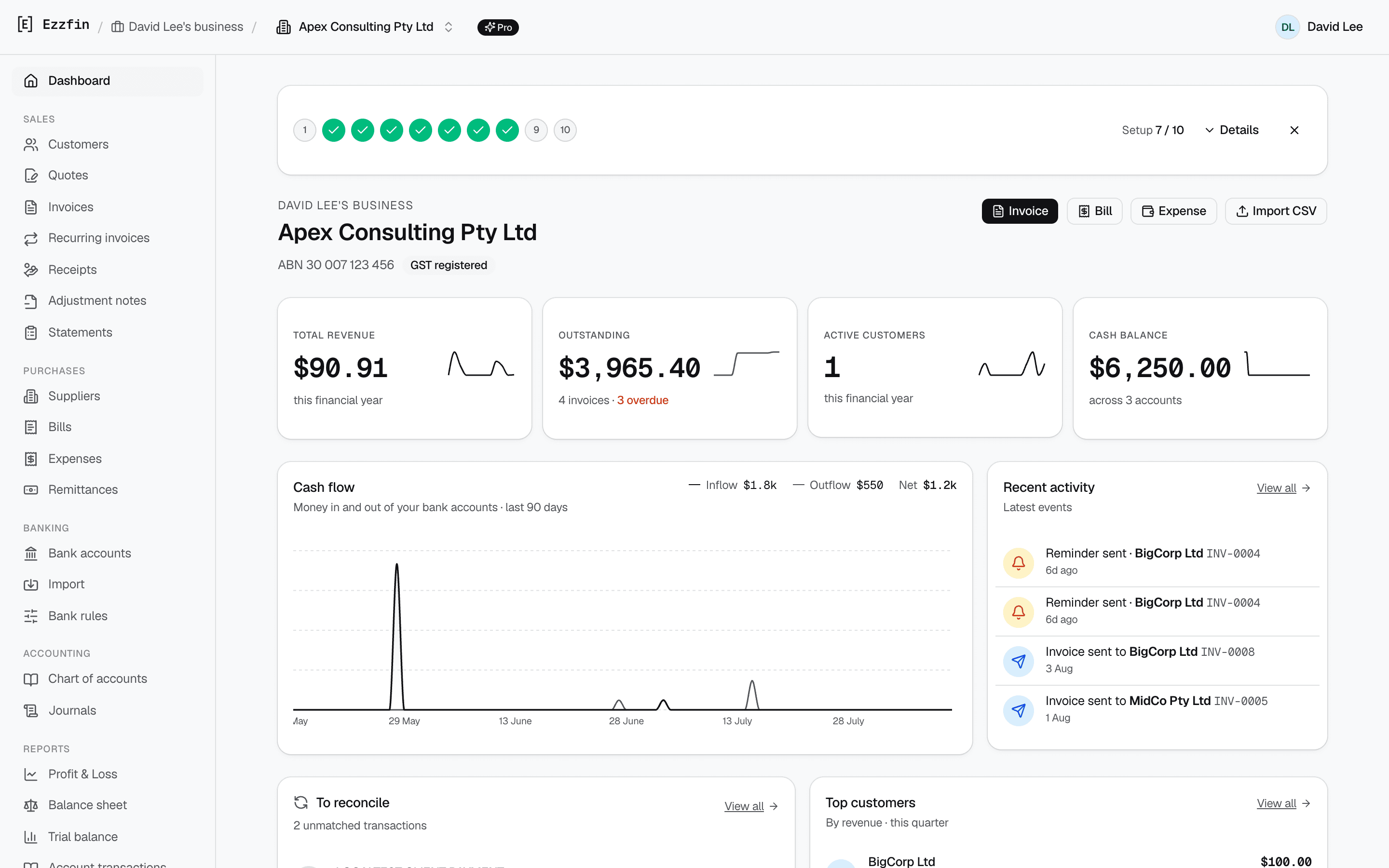
Dashboard
See where the business actually is
Revenue, what's outstanding, cash across every account, and the money in and out of the last 90 days — on the screen you land on.
- Revenue, outstanding, active customers and cash balance at a glance
- Cash-flow chart across all of your bank accounts
- Recent activity: what was sent, paid, reminded and matched
- The unreconciled queue and your top customers, side by side
Sales
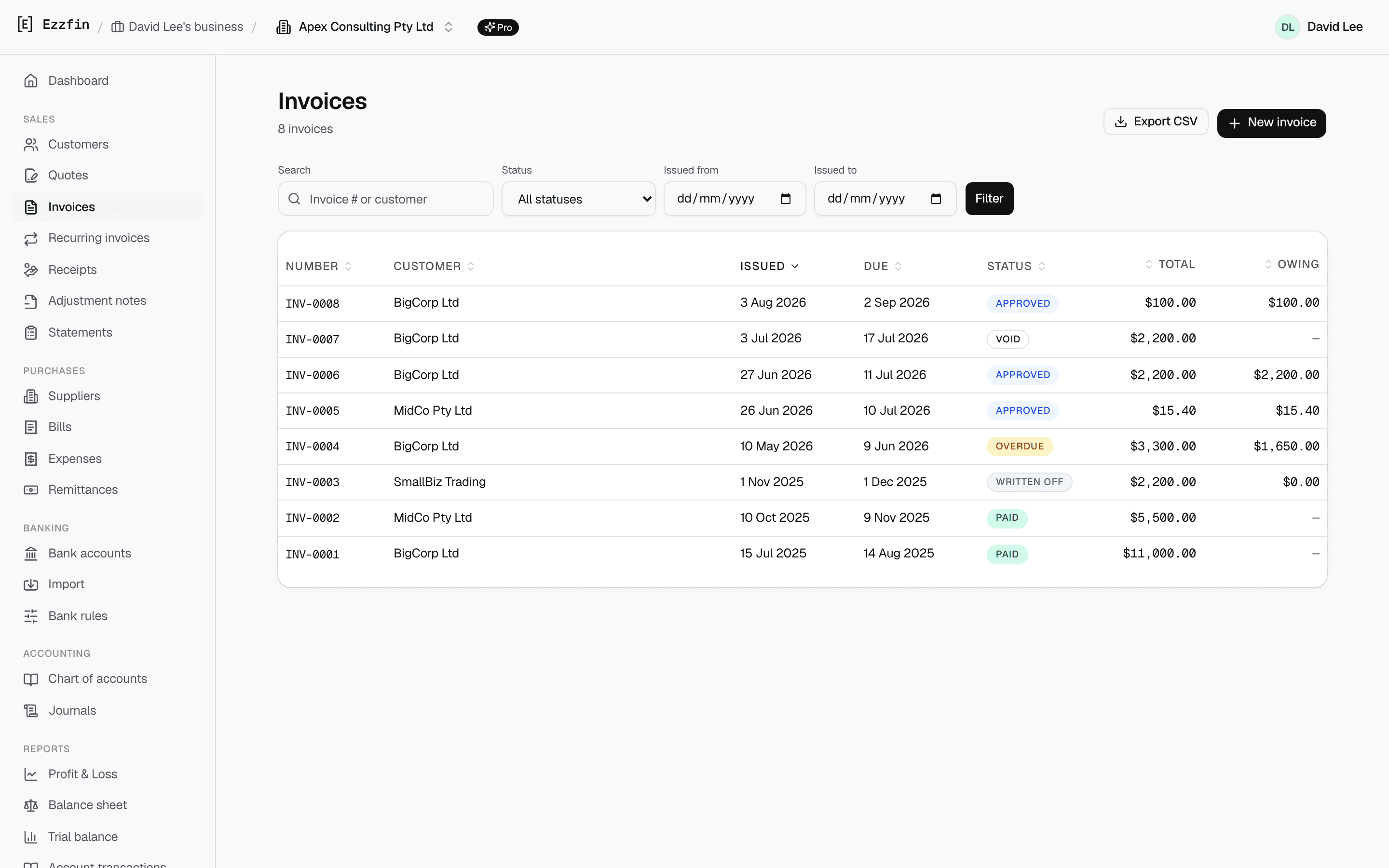
Write and send invoices
Raise a tax invoice, email it as a PDF, and watch what's owed. Quotes convert in one click, and statements, receipts and adjustment notes come from the same records.
- ATO-compliant tax invoices with your own logo and payment details
- Quotes → one-click convert · customer statements · payment receipts
- Scheduled reminders chase overdue invoices for you
- Your customer pays you directly — Ezzfin records it, never collects it
Banking
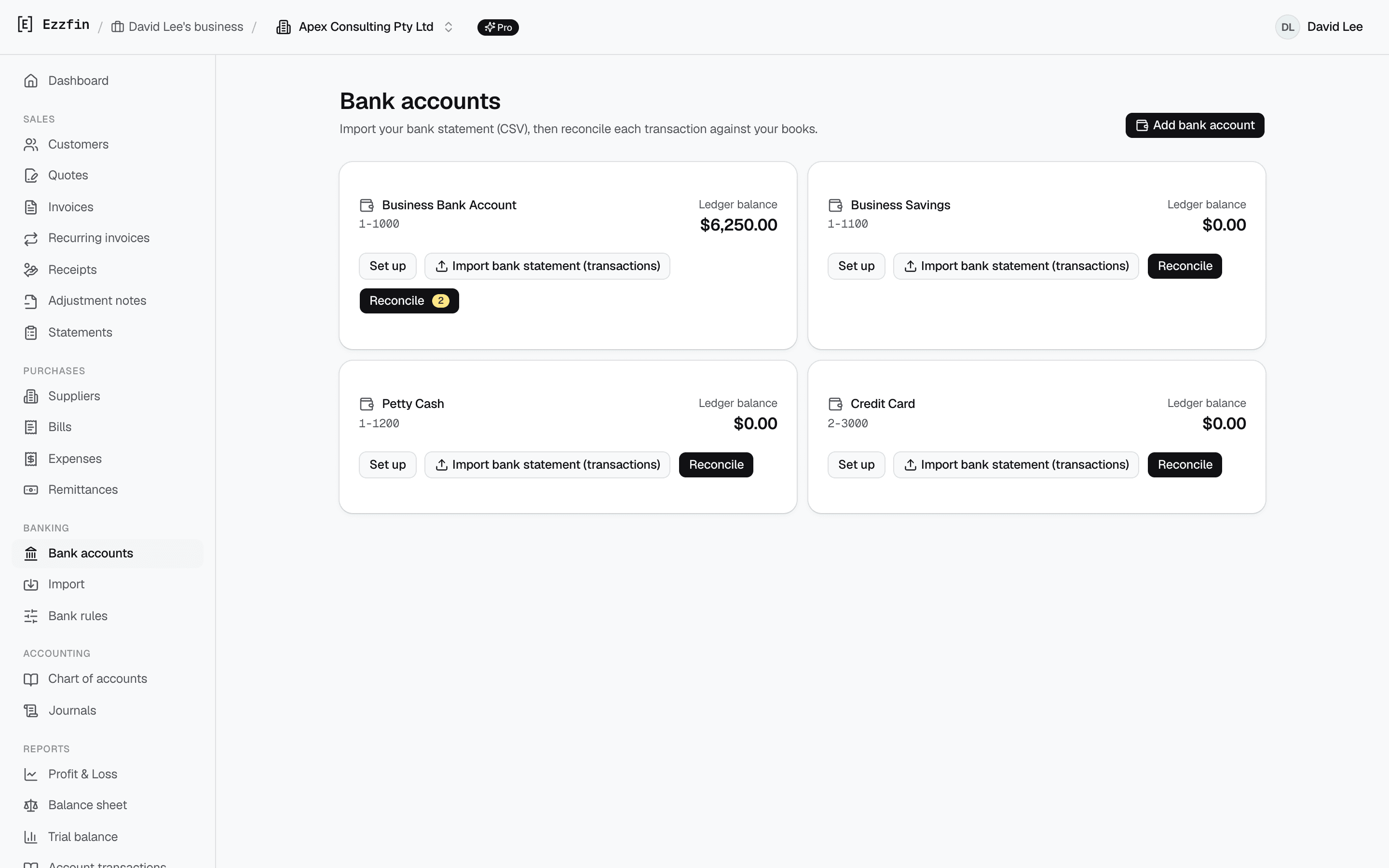
Match the bank to the books
Upload the CSV your bank gives you and work through the queue. Ezzfin proposes a match or a category for each line, and rules you write once handle the repeats.
- Bank data enters by CSV upload — Ezzfin holds no bank logins
- Suggested matches against your open invoices and bills
- Rules engine categorises recurring lines automatically
- Bills, expenses and supplier remittance advice in the same ledger
GST and BAS
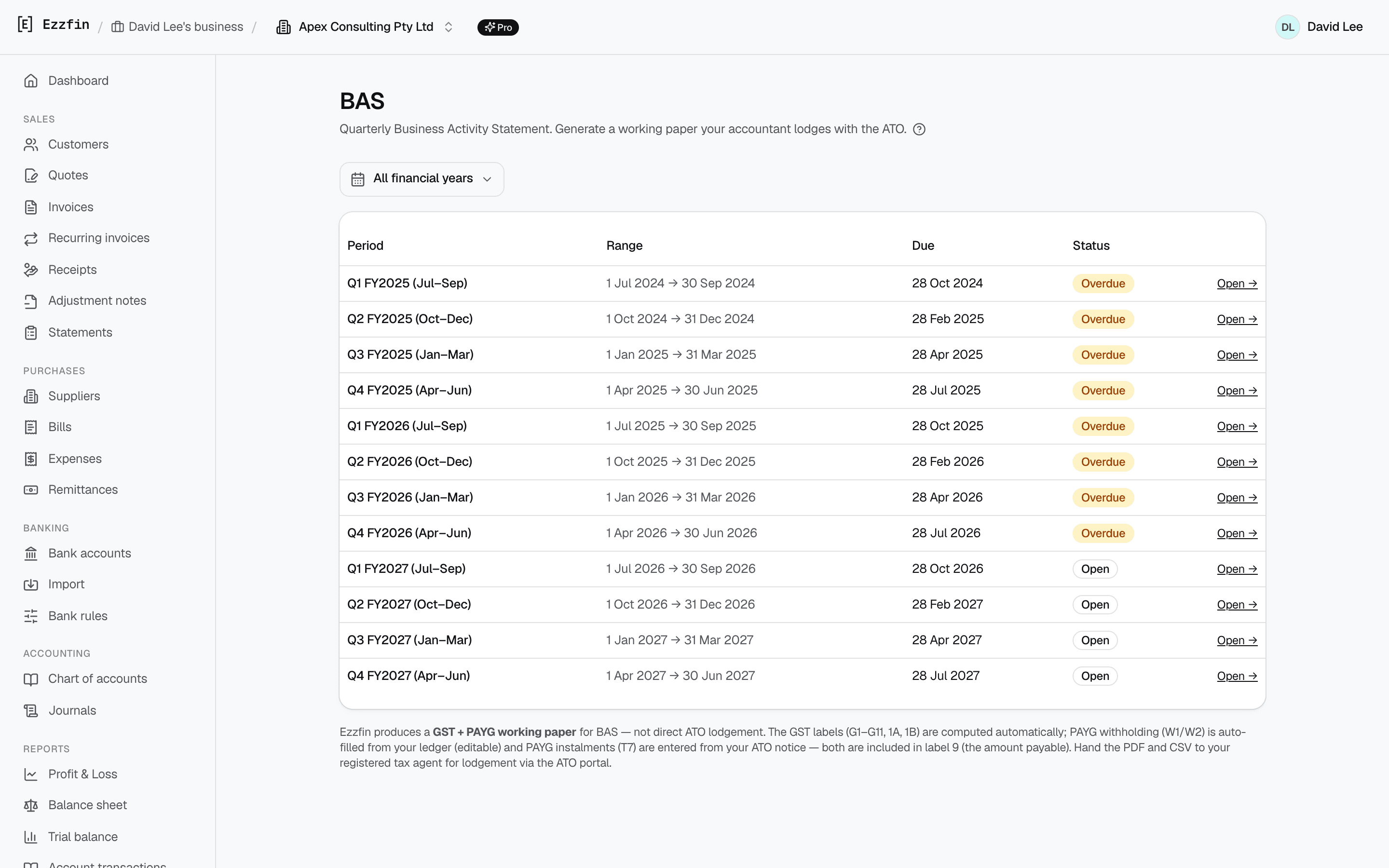
A BAS working paper your agent can read
GST is tracked on every line as you go, so the quarterly figures assemble themselves. Ezzfin prepares the working paper — your registered tax agent reviews and lodges it.
- G1, G10, G11, 1A and 1B assembled from the ledger, not retyped
- W1 and W2 auto-filled from a configurable account mapping
- Cash or accrual basis, with the detail report behind every figure
- Export as PDF and CSV to hand to your agent
Reporting
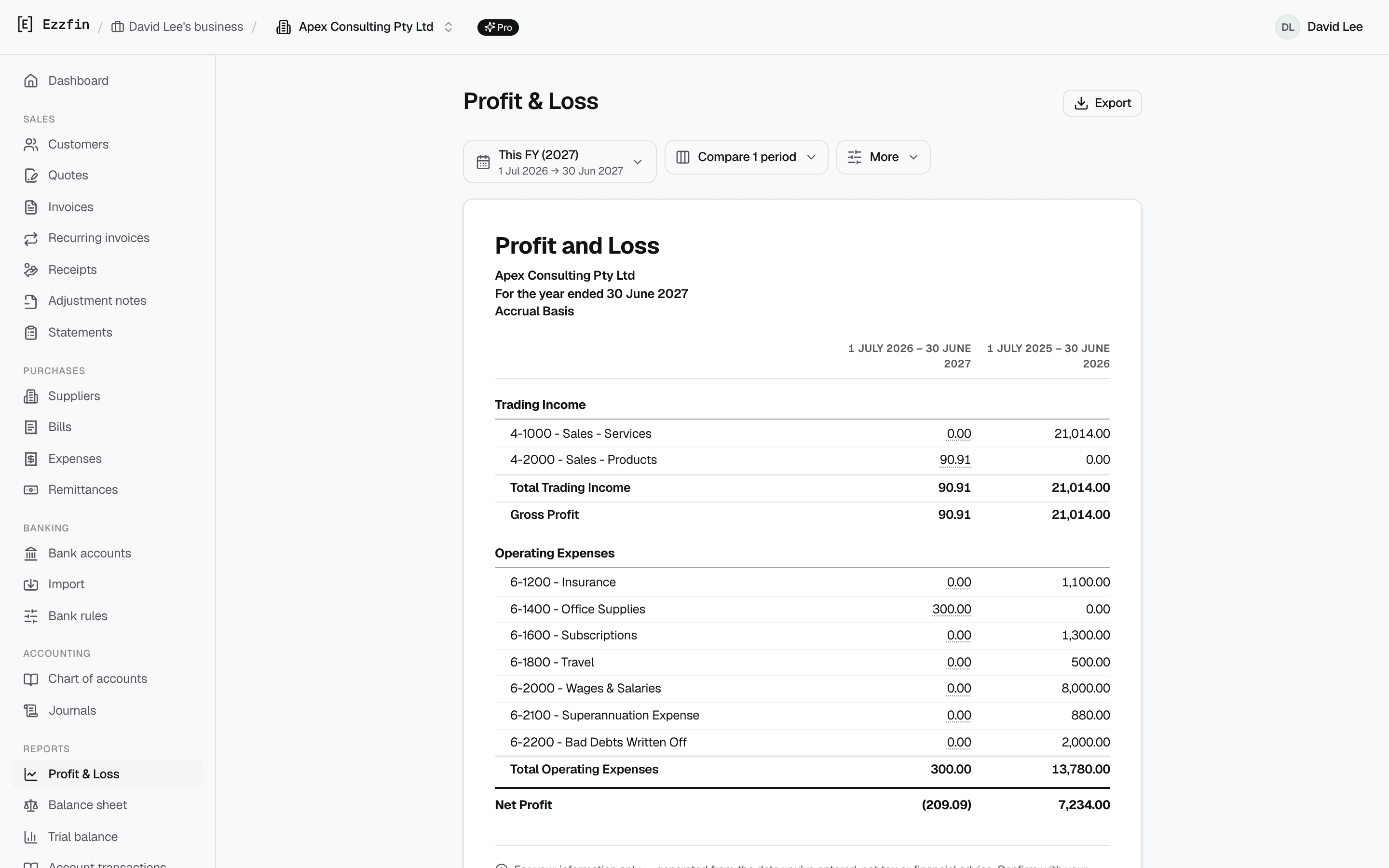
The reports an accountant expects
Six standard reports, each clickable down to the individual journal line that produced the figure. Nothing is a black box.
- Profit & Loss, Balance Sheet, Trial Balance, Journal report
- Aged Receivables and Aged Payables
- Drill down from any figure to the transaction behind it
- Comparison columns on P&L and Balance Sheet (Pro)
Accounting
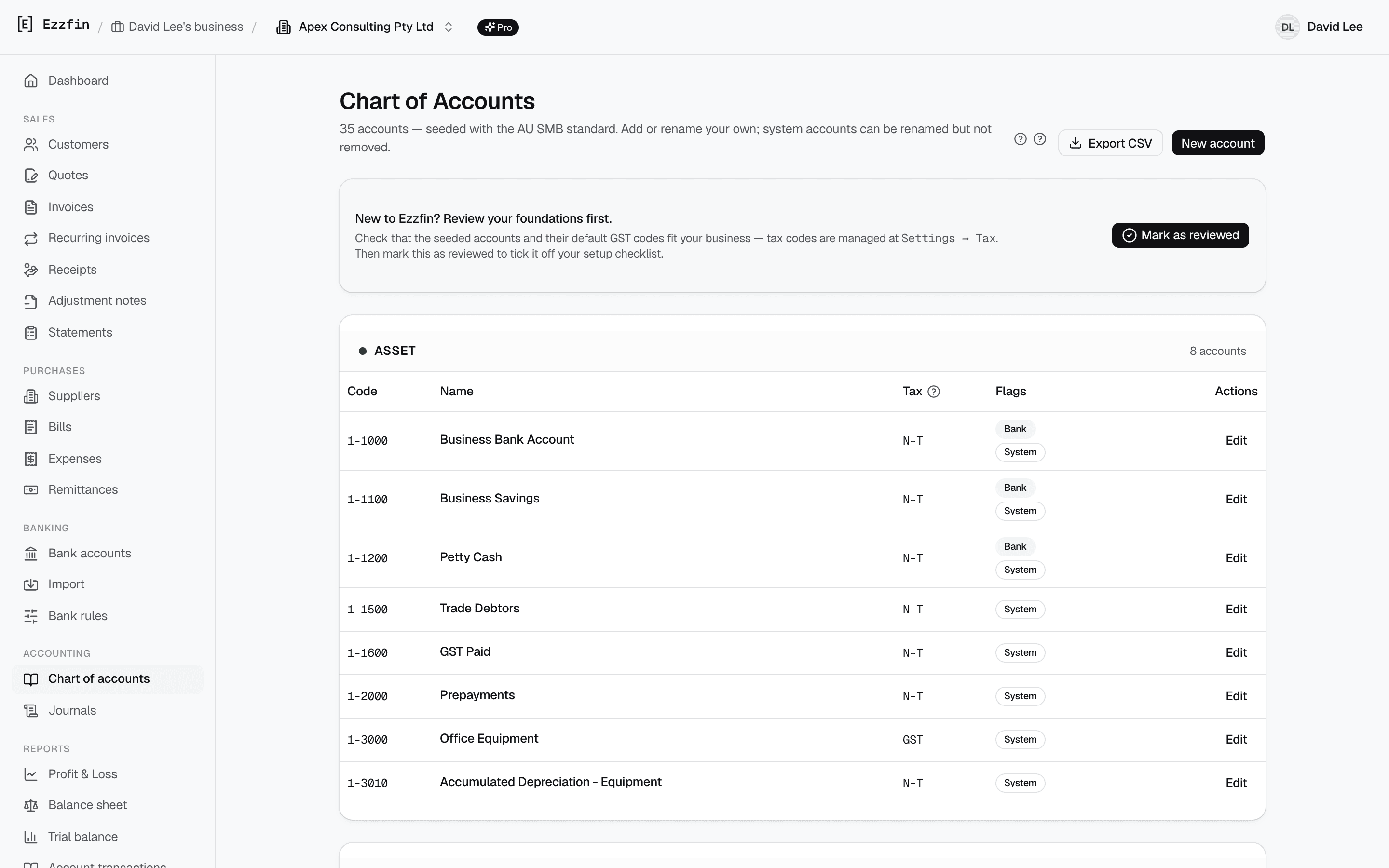
A real double-entry ledger underneath
Not a spreadsheet with totals. Every document posts to a proper chart of accounts, which is why the reports and the BAS agree with each other.
- MYOB-style account codes, editable to suit your business
- Every invoice, bill and payment posts a balanced journal
- Manual journals when you need them, all in the audit log
- Accountant seats with their own logins and permissions
Where the software stops
What Ezzfin doesn’t do
Ezzfin is a record-keeping tool. It is not a bank, a payment service or a tax agent, and it is deliberately built not to be.
It never touches your customers’ money
An invoice in Ezzfin is a document. Your customer pays you directly, into your own bank account, by whatever arrangement the two of you have. Ezzfin records that the payment happened — it never collects, holds, escrows or forwards a cent on anyone's behalf.
It doesn’t connect to your bank
Bank data gets into Ezzfin one way: you download a statement CSV from your bank and upload it. Ezzfin stores no banking credentials, holds no account access, and cannot initiate a transaction on any account.
It doesn’t lodge anything with the ATO
Ezzfin prepares BAS working papers — the figures, the detail behind them, and a PDF and CSV to hand over. Your own registered tax or BAS agent reviews them and does the lodging.
It doesn’t give advice
The software records what you tell it and reports it back. Nothing in Ezzfin is financial, tax or investment advice, and we are not a registered tax or BAS agent. For advice, talk to yours.
Have a look with your own numbers
Fourteen days of Pro, no credit card, and an export button if it turns out not to be for you.